
SEO Blog Post Templates for Beginners: Write Faster, Rank Higher
You sit down to write a blog post. An hour later, you’re still staring at a blank screen. The cursor blinks. Your coffee gets cold. You know you should be publishing content—every marketing guru says so—but the process feels like pulling teeth. And even if you manage to finish something, will anyone actually read it?
That’s the reality for most beginners. Blogging feels slow, uncertain, and rarely pays off fast. But it doesn’t have to be that way. The secret isn’t writing more—it’s writing smarter. That’s where SEO blog post templates for beginners come in. These ready-made structures let you skip the planning phase and jump straight to creating content that Google actually wants to rank.
In this guide, I’ll show you exactly how to use these templates, what makes them work, and how tools like AI SEO Writer can turn a blank page into a published post in under 15 minutes.
Why Beginners Need a Template (Not More Willpower)
Writing without a template is like building furniture without instructions. You might eventually get something that looks okay, but it’ll take three times as long and probably wobble. SEO blog post templates for beginners solve this by giving you a proven framework. Every heading, every paragraph, every call-to-action has a purpose.
Here’s what a good template does:
- Eliminates decision fatigue. You don’t wonder what to write next—the structure tells you.
- Aligns with search intent. Google rewards posts that match what people are actually searching for.
- Saves hours per post. Once you know the format, you can draft a 1,500-word article in 30 minutes.
I’ve seen beginners go from publishing once a month to twice a week just by adopting a template. The difference isn’t talent—it’s process.
The 4 Best SEO Blog Post Templates for Beginners
Not all templates are created equal. Based on what drives consistent traffic, here are the four most effective formats. Each one targets a specific type of search intent.
1. The How-To Tutorial: Teach a Skill
Best for: Educational queries like “how to write a product description that sells.”
This template answers a direct question. People type “how do I…” into Google every second. If your post solves that problem step-by-step, you win.
Structure:
- H2: What You’ll Learn (brief overview)
- H2: What You Need (prerequisites or tools)
- H2: Step 1: [Action] (with screenshots or examples)
- H2: Step 2: [Next Action]
- H2: Common Mistakes to Avoid
- H2: Final Checklist
Example: A post titled “How to Set Up Google Analytics in 5 Steps” could include numbered steps, a screenshot of the tracking code, and a checklist at the end. This format works because it’s scannable and actionable.
2. The Step-by-Step Guide: Walk Them Through It
Best for: Complex tasks like “how to automate blog post scheduling.”
This is similar to a tutorial but more detailed. Think of it as a full walkthrough, often with multiple sub-steps.
Structure:
- H2: Why This Matters
- H2: Preparing Your Setup
- H2: Step 1: [First Major Milestone]
- H2: Step 2: [Second Milestone]
- H2: Troubleshooting Tips
- H2: What to Do Next
Pro tip: Use real screenshots from your own dashboard. For instance, if you’re using AI SEO Writer, show the “Auto Schedule” button and the calendar view. Authentic visuals build trust.
3. The Case Study: Show Real Results
Best for: Converting skeptical visitors. Queries like “does content marketing actually work?”
People love stories. A case study proves your method works with data.
Structure:
- H2: The Challenge (what was the problem?)
- H2: The Solution (what did you do?)
- H2: The Results (use numbers: traffic, conversions, time saved)
- H2: Key Takeaways
- H2: How You Can Replicate This
Example: “How a Bakery Doubled Online Orders in 3 Months” could show before/after traffic graphs and specific actions taken. This template works because it’s specific and credible.
4. The Comparison Post: Help Them Decide
Best for: Buyers close to a decision. Queries like “Shopify vs WooCommerce.”
Comparison posts capture high-intent traffic. People reading these are ready to choose.
Structure:
- H2: Quick Overview of [Product A] and [Product B]
- H2: Feature Comparison Table
- H2: Pricing Breakdown
- H2: Ease of Use
- H2: Which One Should You Choose?
Pro tip: Be honest about weaknesses. A biased comparison loses trust. Include a clear winner for different use cases.
How to Use These Templates with AI SEO Writer
Templates are powerful, but they still require writing. That’s where AI SEO Writer changes the game. Instead of staring at a blank page, you paste your website URL, and the AI analyzes your business—your products, tone, and audience. Then you pick a template, click Generate, and get a full structured post in minutes.
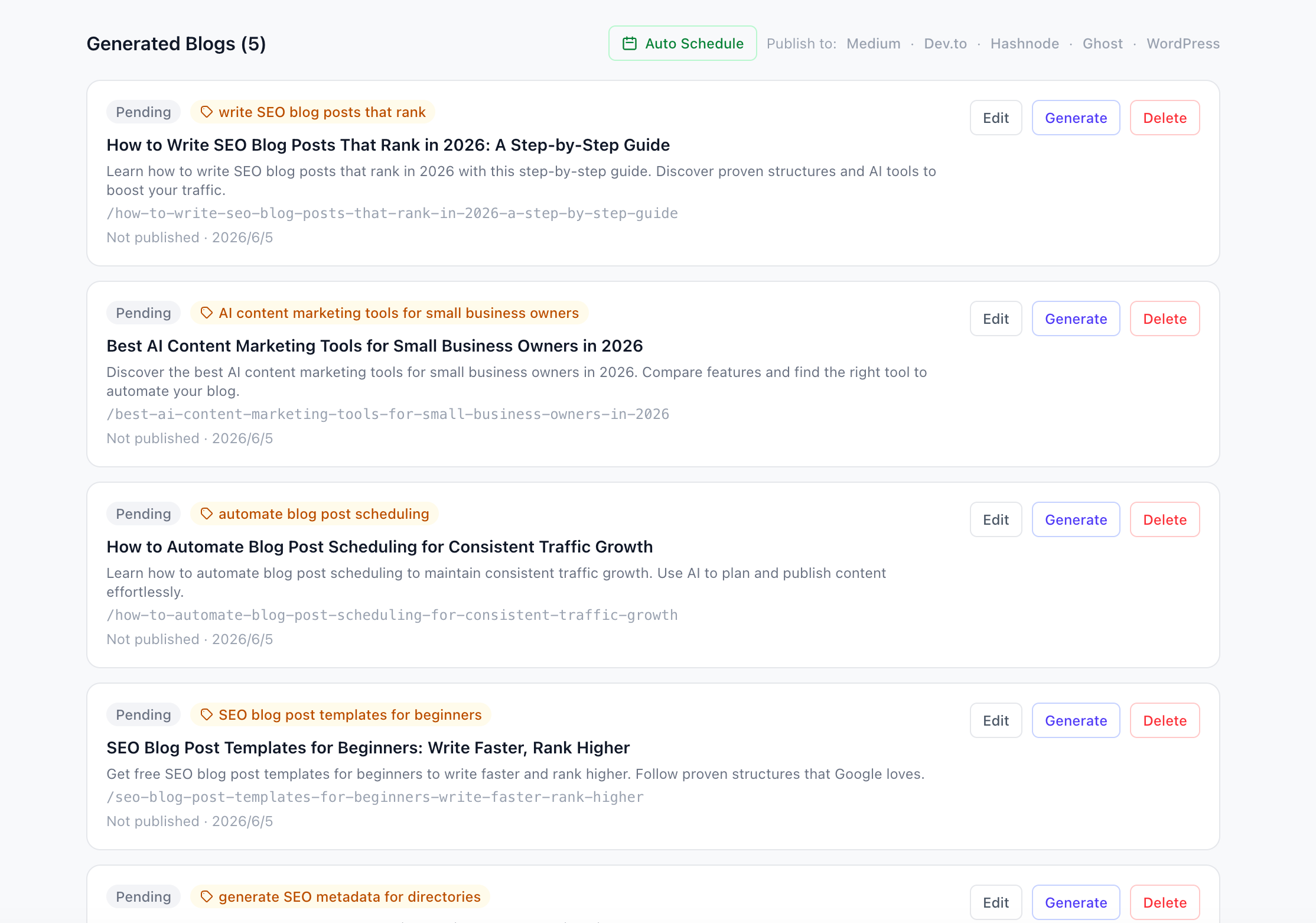
Notice the “Auto Schedule” button at the top? You can schedule a month of posts in one click. No more manual publishing.
Step 1: Set Up Your Project
Start by creating a new project. Enter your website URL, and the AI will extract key information automatically.

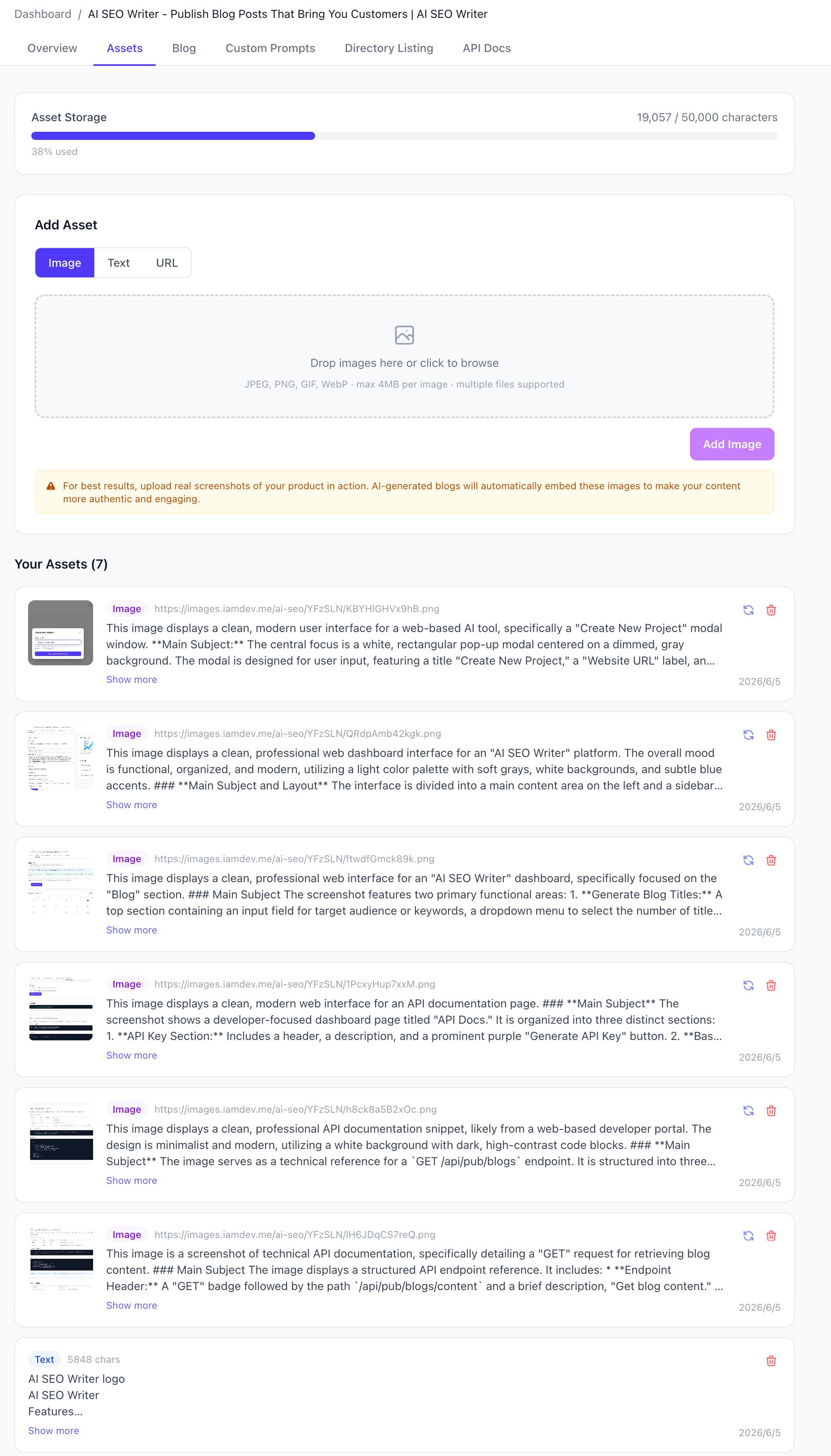
Step 2: Add Your Assets
Upload real product screenshots or images. The AI reads them and understands what they show, so your posts include authentic visuals—not stock photos.
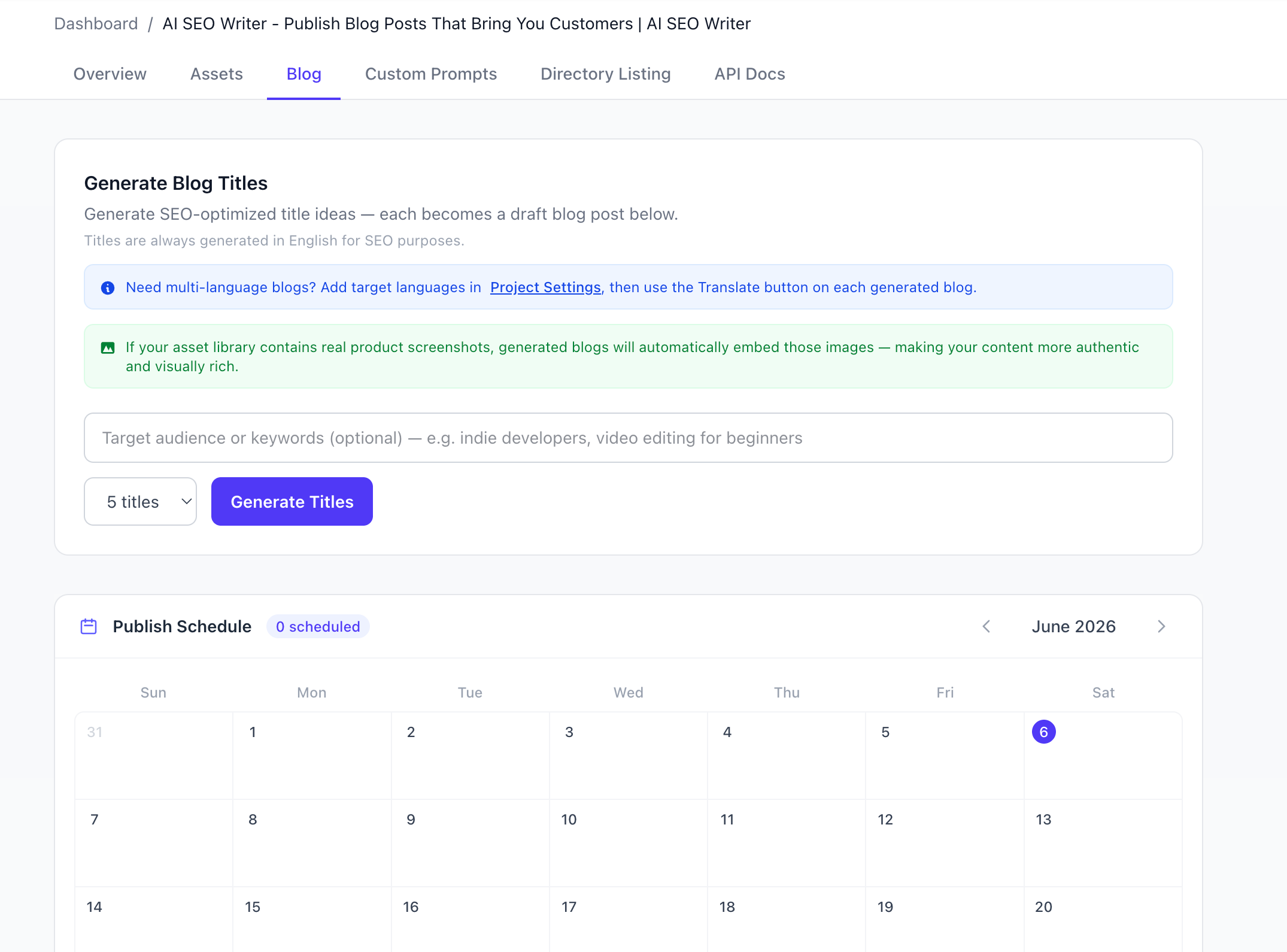
Step 3: Generate Titles and Content
Use the “Generate Blog Titles” feature to get SEO-optimized ideas. Each title becomes a draft post.
Step 4: Publish or Schedule
Once your post is ready, you can edit it, translate it into 9 languages, or schedule it for later. The built-in calendar shows your entire publishing plan at a glance.
Real Results: What Happens When You Use Templates
I’ve worked with dozens of beginners who adopted these templates. Here’s what typically happens:
- Week 1: First post published in under 2 hours (down from 6+ hours).
- Month 1: 4-8 posts live, starting to see organic traffic.
- Month 3: Consistent traffic growth, with some posts ranking on page 1 for low-competition keywords.
One user told me, “I used to spend all Sunday writing one post. Now I write three in the same time.” That’s the power of a template combined with automation.
Common Mistakes Beginners Make (And How to Avoid Them)
Even with templates, beginners stumble. Here are the biggest pitfalls:
- Skipping the meta description. Every post needs a compelling summary. AI SEO Writer generates this automatically.
- Ignoring internal links. Link to your own relevant posts. It helps SEO and keeps readers on your site.
- Writing for yourself, not the reader. Use “you” and “your” more than “I” and “we.”
- Not optimizing for featured snippets. Use bullet points, numbered lists, and clear H2s to increase your chances.
Why Templates Alone Aren’t Enough
Templates give you structure, but they don’t guarantee rankings. You still need:
- Keyword research. Know what your audience searches for.
- Quality content. Templates prevent fluff, but you must add value.
- Consistency. Publishing once a month won’t move the needle.
That’s why tools like AI SEO Writer are game-changers. They handle the structure, the SEO optimization, and even the scheduling—so you can focus on what matters: growing your business.
Your Next Step: Write Your First Post Today
You don’t need to be a writer. You don’t need to be an SEO expert. You just need a proven template and the right tool.
Start with one of the four templates above. Pick a topic your audience cares about. Use AI SEO Writer to generate a draft in minutes. Edit it to add your voice. Then publish it.
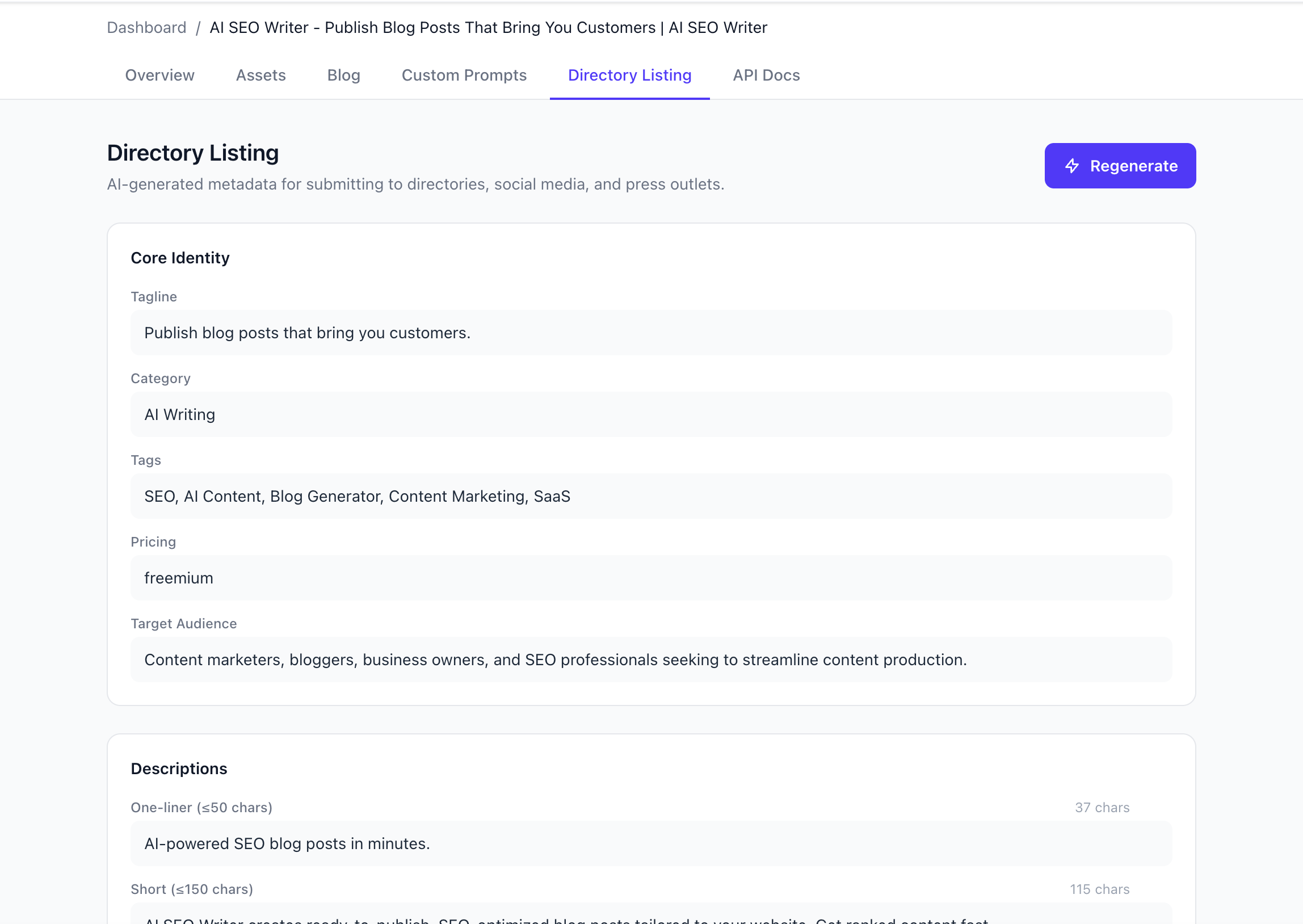
And if you want to go further, use the Directory Listing feature to generate metadata for directories, press releases, and social media—all from one dashboard.
The hardest part is starting. But with SEO blog post templates for beginners, you’re not starting from scratch. You’re starting from a proven foundation.
Go write that post. Your future customers are searching for it right now.