
How to Generate SEO Metadata for Directories and Press in Minutes
You've just published a brilliant blog post. You've optimized it for search, shared it on social media, and maybe even sent a newsletter. But there's a whole universe of directories, press outlets, and listing sites waiting for your content—and each one demands a unique tagline, description, and set of keywords. Manually crafting metadata for every platform is a soul-crushing, time-sucking task that most marketers simply skip. The result? Your content stays invisible on the very sites where your audience is actively searching.
What if you could generate SEO metadata for directories in minutes—without writing a single line of copy? That's exactly what we're going to cover. By the end of this post, you'll have a repeatable system to create directory-ready metadata that gets your content listed, seen, and clicked.
Why Directory Metadata Matters More Than You Think
Directories and press sites are not just link farms. Platforms like Product Hunt, G2, Capterra, and industry-specific directories are where decision-makers go to compare solutions. When you submit your SaaS or service to these platforms, the metadata you provide—tagline, one-liner, short description, category, tags—is what determines whether someone clicks through or scrolls past.
Consider this: a directory listing with a compelling tagline and precise tags can see 3-5x more click-throughs than a generic one. Yet most businesses treat directory submissions as an afterthought, pasting the same boilerplate text everywhere. That's a missed opportunity.
The Problem with Manual Metadata Creation
If you've ever tried to manually generate metadata for 10+ directories, you know the pain:
- Inconsistency: Your tagline on one site says one thing; on another, it's completely different.
- Time drain: Writing unique descriptions for each platform can take hours.
- SEO gaps: You forget to include target keywords, or you stuff them awkwardly.
- Burnout: After the third directory, you give up and submit half-baked entries.
This is where AI-powered tools like AI SEO Writer come in. Instead of staring at a blank field, you can generate SEO metadata for directories with a single click—and get consistent, optimized results every time.
How to Generate SEO Metadata for Directories in Minutes
Let's walk through a practical workflow using AI SEO Writer's Directory Listing feature. The process takes less than five minutes and produces 19 ready-to-use metadata fields.
Step 1: Set Up Your Project
Start by creating a new project in AI SEO Writer. Paste your website URL—the AI will analyze your site and extract key information about your business, including your tagline, category, and target audience.
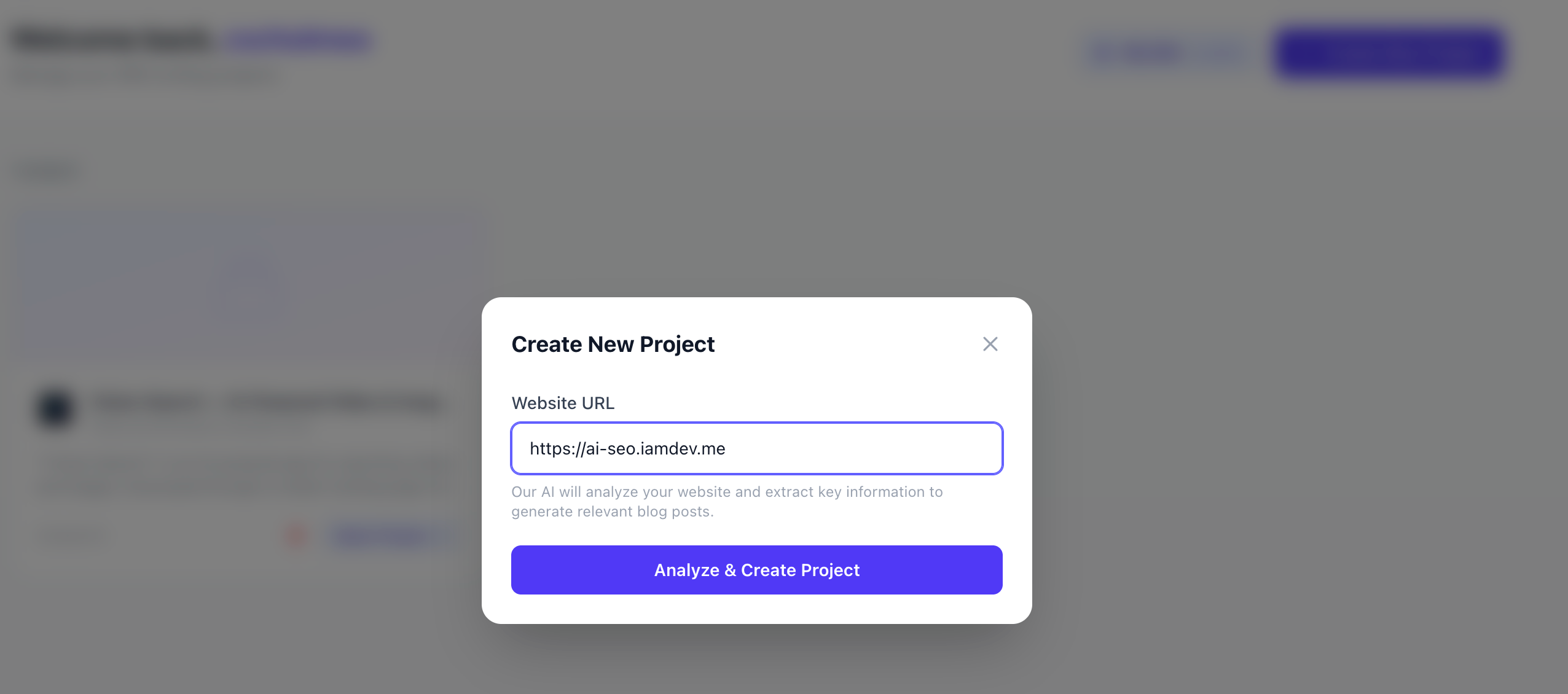
For example, if you run a project management tool, the AI might identify your category as "Productivity Software" and your target audience as "remote teams." This forms the foundation for all your directory metadata.
Step 2: Navigate to the Directory Listing Dashboard
Once your project is set up, head to the "Directory Listing" tab. Here you'll see a clean interface with two main cards: Core Identity and Descriptions.
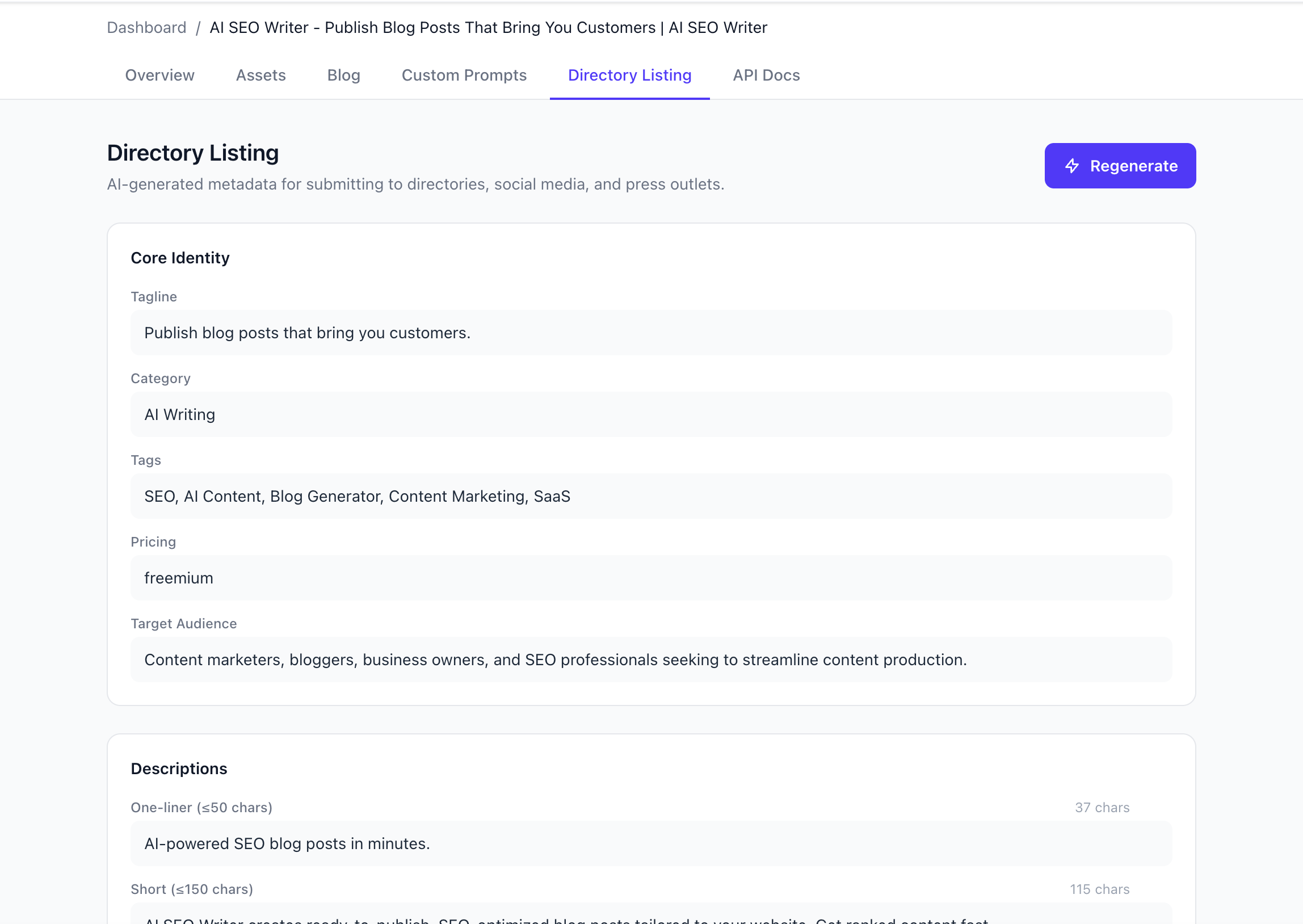
The Core Identity card includes:
- Tagline: A punchy, memorable phrase (e.g., "Publish blog posts that bring you customers")
- Category: The primary directory category (e.g., "AI Writing")
- Tags: Relevant keywords (e.g., "SEO, AI Content, Blog Generator, Content Marketing, SaaS")
- Pricing: Your business model (e.g., "freemium")
- Target Audience: Who you serve (e.g., "Content marketers, bloggers, business owners")
The Descriptions card provides:
- One-liner: A concise value proposition (e.g., "AI-powered SEO blog posts in minutes")
- Short description: A slightly longer version with character count limits
Step 3: Generate and Customize
Click the purple "Regenerate" button to have the AI produce fresh metadata based on your project data. You can regenerate as many times as you want until the copy feels right.
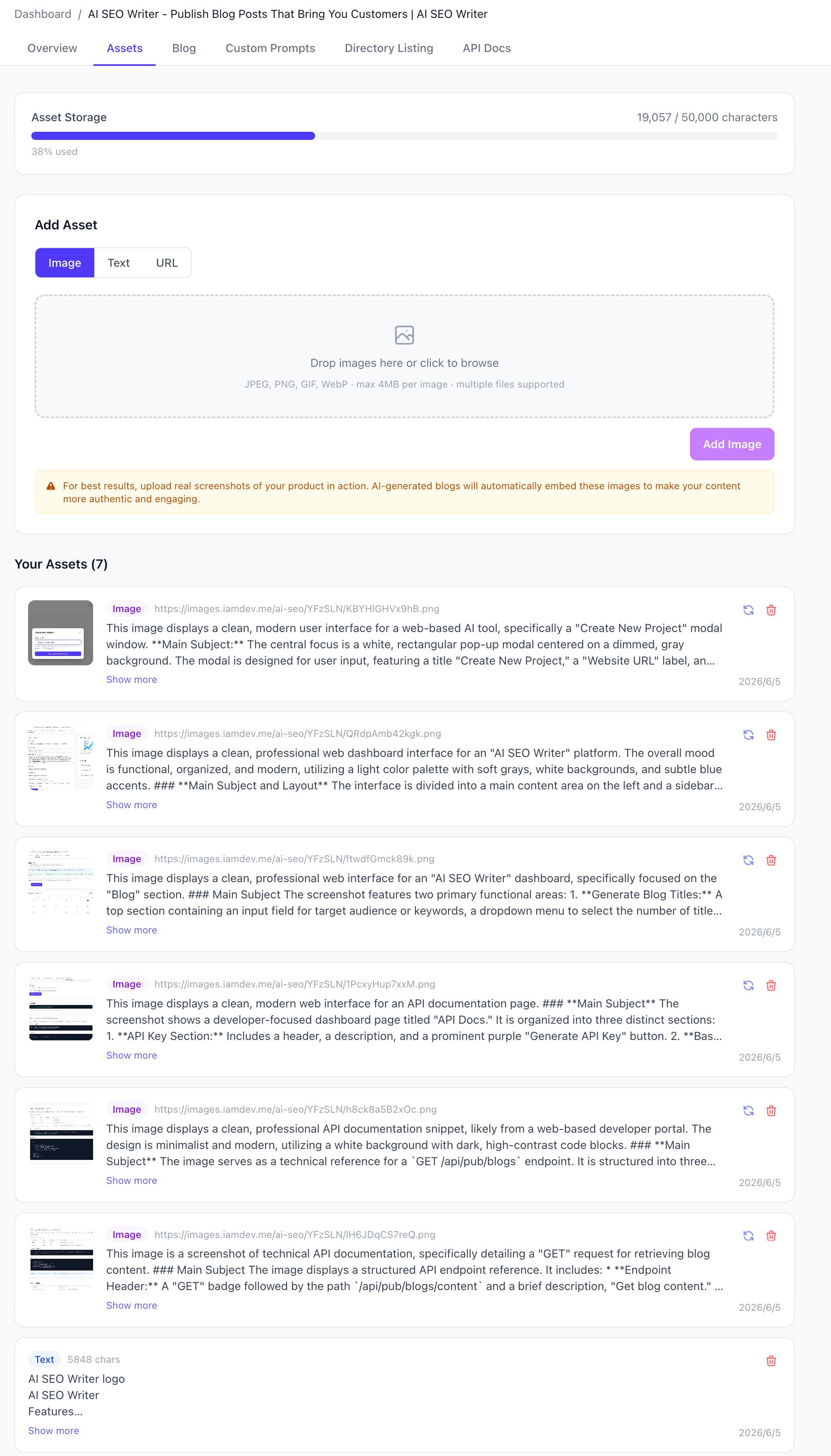
Pro tip: Upload real product screenshots to your asset library before generating. The AI will read those images and incorporate authentic visual context into your descriptions. This makes your directory entries more credible and engaging.
Step 4: Export and Submit
Once you're happy with the metadata, copy it directly from the dashboard and paste it into your directory submission forms. The fields are designed to match common directory requirements, so you can submit to Product Hunt, G2, Capterra, and dozens of other platforms without rewriting anything.
Real-World Example: From Zero to Directory-Ready
Let's say you run a small SEO tool called "RankRocket." Your website tagline is "Boost your search rankings with AI." Here's what AI SEO Writer might generate for you:
- Tagline: "AI-powered SEO tool that doubles your organic traffic"
- One-liner: "RankRocket uses machine learning to analyze your site and suggest actionable SEO improvements in seconds."
- Short description: "RankRocket is the all-in-one SEO platform for small businesses. Get keyword suggestions, content optimization tips, and competitor analysis—all powered by AI. No SEO expertise required."
- Tags: "SEO tool, AI SEO, keyword research, content optimization, small business SEO"
This metadata is specific, keyword-rich, and tailored to your brand. It's ready to be submitted to directories like Product Hunt, where a strong tagline can make the difference between a featured listing and a forgotten one.
Why This Approach Beats Manual Work
Using AI to generate SEO metadata for directories isn't just faster—it's smarter. Here's why:
- Consistency across platforms: Your brand voice remains uniform whether you're submitting to a tech directory or a press release site.
- SEO optimization built-in: The AI naturally incorporates your target keywords without keyword stuffing.
- Character count awareness: Descriptions are automatically trimmed to fit platform limits (e.g., 160 characters for meta descriptions, 300 for short descriptions).
- Scalability: Generate metadata for 10, 20, or 50 directories in the same time it takes to do one manually.
Beyond Directories: Press and Social Media Metadata
The same metadata can be repurposed for press releases, social media bios, and even your website's meta tags. A strong tagline works equally well on a press release headline and a Twitter bio. The one-liner can serve as your LinkedIn company description. The tags can inform your YouTube video keywords.
By generating all this metadata in one place, you create a reusable asset library that saves you hours every time you launch a new campaign or submit to a new platform.
Common Mistakes to Avoid
Even with AI assistance, there are pitfalls to watch out for:
- Being too generic: "We help businesses grow" is forgettable. Be specific about what you do and who you help.
- Ignoring character limits: Some directories truncate descriptions at 150 characters. Always check the requirements.
- Forgetting your audience: Your metadata should speak directly to the person reading it. Use language they understand.
- Not testing: Run A/B tests on different taglines to see which drives more clicks.
The Bottom Line
Directory and press metadata doesn't have to be a bottleneck in your content marketing strategy. With the right tools, you can generate SEO metadata for directories in minutes—and get consistent, high-quality results every time.
Stop wasting hours writing the same descriptions over and over. Start using AI to do the heavy lifting, and focus your energy on what matters: building your product and serving your customers.
Ready to try it yourself? AI SEO Writer's Directory Listing feature is available right now. Paste your website URL, click generate, and see how fast you can go from zero to directory-ready.